
Open MSAR, enter your GPA and MCAT, run a filtered search, and compare up to 10 schools side by side. That sequence, done in one sitting, gives you a working shortlist before you’ve spent a dollar on applications. Here’s the exact workflow.
Start here, right now:
- Sign in at the AAMC MSAR site using your AAMC account.
- Go to My Coursework & Scores and enter your cumulative GPA and MCAT total and section scores.
- Run a filtered search using location, public/private, and class size to narrow the field.
- Select up to 10 schools and open the Compare view to see matriculant GPA/MCAT distributions side by side.
- Save your targets as Favorites, then export to CSV and paste into Google Sheets or Excel.
That exported spreadsheet becomes your application tracker. Add columns for deadlines, secondary fees, interview format, and priority tier, and you have a living document that drives every decision through the cycle.
- Named fields to capture in every row: MCAT median, GPA median, in-state/out-of-state bias, interview format (MMI vs. traditional), preferred letter-writer type, and application deadline.
- AMCAS is the submission portal; MSAR is the research tool. They serve different functions, and you need both.
Pro Tip: Before you run a single filter, make sure your MCAT section scores are entered separately, not just the total. A weak section score can disqualify you at schools that screen by section, and the MSAR charts let you check that risk school by school.
Key Takeaways
Using MSAR effectively means entering your real stats, filtering by mission-fit and practical constraints, comparing schools side by side, exporting to a tracker, and returning to MSAR at every major cycle milestone.
| Point | Details |
|---|---|
| Enter stats first | Input your GPA and MCAT in My Coursework & Scores before running any school comparisons. |
| Compare up to 10 schools | MSAR’s expanded Compare view covers 26 items side by side, including matriculant stats and interview format. |
| Export and track | Export your Favorites to CSV and add deadline, fee, and priority columns to manage the full cycle. |
| Interpret ranges, not just medians | Use the interquartile range to assess realistic fit; small-cohort programs produce noisy medians. |
| Medschoolpilot operationalizes exports | Import your MSAR shortlist into Medschoolpilot to manage deadlines, readiness scoring, and task timelines in one place. |
Table of Contents
- What is MSAR and what data does it actually contain?
- How do you register, log in, and what does a subscription cost?
- What are MSAR’s key features and how do you use each one?
- How do you build a strategic school list inside MSAR?
- How do you read and interpret MSAR’s matriculant statistics?
- How do you export MSAR data and track your shortlist?
- When does MSAR update and how do you stay current?
- Is MSAR worth paying for?
- How do you turn MSAR exports into a working application plan?
- What applicants actually get wrong when using MSAR
- Medschoolpilot turns your MSAR research into a managed application plan
- Sources
What is MSAR and what data does it actually contain?
MSAR, the Medical School Admission Requirements database, is the AAMC’s official, annually updated source for profiles on every LCME-accredited MD-granting school in the United States and Canada. The data comes directly from the schools themselves, supplemented by AMCAS application records and MCAT score data, which is why it carries more authority than any third-party school list.
Each school profile covers a lot of ground:
- Matriculant statistics: GPA and MCAT distributions (median, range, and percentile charts) broken down by accepted applicants, matriculants, and national data.
- Premedical coursework requirements: specific prerequisite courses, credit-hour minimums, and whether pass/fail coursework is accepted.
- Interview format: MMI, traditional panel, or hybrid, plus notes on virtual vs. in-person options.
- Preferred letter writers: whether the school wants a committee letter, individual faculty letters, or specific types (science faculty, clinical supervisor).
- Class demographics: size, in-state vs. out-of-state breakdown, and diversity data.
- Tuition and financial aid: in-state and out-of-state cost of attendance, scholarship availability.
- Policies: waitlist practices, dual-degree programs, and early decision options.
A substantial portion of MSAR content is accessible without a subscription. The paywall sits in front of the detailed MCAT/GPA charts, the expanded Compare tool, Favorites, Notes, and export functionality — the features that actually drive list-building decisions.
The free tier is useful for browsing. The paid tier is where the work happens.
How do you register, log in, and what does a subscription cost?
A one-year MSAR subscription runs for 12 months from the date of purchase and is available directly through the AAMC store. Some institutions purchase bulk access for their premed students, so check with your pre-health advisor before buying individually.
Step-by-step access:
- Go to the AAMC store and purchase a subscription, or confirm institutional access with your advisor.
- Sign in at the MSAR site using your existing AAMC account (the same one you use for AMCAS and the MCAT).
- If you purchased through a third party, you may receive an authorization code; enter it in your AAMC account under subscription management.
- Use Chrome, Firefox, or Safari for the best experience. Internet Explorer and older Edge versions cause display issues.
- If you hit a login loop, clear your browser cache and cookies, then try again. That fixes the majority of access problems.
Free vs. paid at a glance:
- Free: school names, basic program descriptions, general admissions policies, contact information.
- Paid: detailed MCAT/GPA percentile charts, the full Compare tool (up to 10 schools, 26 comparison items), Favorites, Notes, export to CSV, and calendar reminders tied to school-specific deadlines.
The subscription cost is modest relative to the overall expenses involved in applying to medical school, including AMCAS fees, secondary fees, and travel for interviews. If you’re serious about applying, the paid tier pays for itself the first time it stops you from applying to a school where your stats fall well outside the interquartile range.
What are MSAR’s key features and how do you use each one?
Search and filters
The search page is where most applicants underuse MSAR. The default view shows all schools, which is overwhelming. Filter immediately:
- Location/state: narrow to states where you have residency preference or where the school is in-state friendly.
- Public vs. private: public schools often favor in-state applicants heavily; private schools tend to draw nationally.
- Class size: filter to 80–160 if you want programs large enough to have stable statistics but small enough to feel community-oriented.
- Degree/program type: MD-only, MD-PhD, or combined programs.
- Campus setting: urban, suburban, or rural, which matters for clinical rotation access and lifestyle fit.
A practical starting filter set for a competitive out-of-state applicant: private schools, class size 100–200, no state preference. That produces a manageable list of nationally recruiting programs where your state of residency is less of a factor.
School profiles
Inside any profile, the most decision-relevant fields are:
- MCAT and GPA charts: use the drop-down to switch between national, applicant, and matriculant data. Matriculant data is the one that matters for your list.
- Coursework requirements table: MSAR’s detailed coursework descriptions let you verify whether your specific undergrad course satisfies a prerequisite, rather than assuming equivalence.
- Interview format field: MMI preparation is fundamentally different from traditional prep. Knowing this before you apply shapes how you allocate prep time.
- Preferred letter writers: some schools specify science faculty, clinical supervisors, or a committee letter. Missing this requirement is an avoidable mistake.
- Calendar reminders: MSAR profiles include reminder tools tied to school-specific dates, which you can activate directly from the profile page.
Compare tool
MSAR’s Compare feature lets you place up to 10 schools side by side, with an expanded view covering 26 comparison items including matriculant stats, tuition, class size, interview format, and mission focus. Use it to spot patterns: if seven of your ten comparison schools have median MCATsabove your score, your list skews reach-heavy and needs rebalancing.
Pro Tip: Run the Compare tool twice: once sorted by MCAT median to check competitiveness, and once sorted by interview format to group your MMI schools together for prep planning.
How do you build a strategic school list inside MSAR?
This is the core workflow. Done right, it takes two to three focused sessions.
Step 1: Enter your baseline stats. In My Coursework & Scores, enter your cumulative GPA, science GPA, and MCAT total plus section scores. If you’re still calculating your science GPA, the science GPA calculation guide walks through exactly which courses count. Accurate inputs here make every subsequent comparison meaningful.
Step 2: Filter by practical constraints. State residency is the biggest filter most applicants underweight. Public schools in your home state often have significantly lower effective score thresholds for in-state applicants. Filter for those first, then build out with private schools that recruit nationally.
Step 3: Use matriculant medians and ranges to define tiers. A school is a realistic match when your GPA and MCAT both fall within the middle 50% of matriculants. A reach is when one or both stats fall below the 25th percentile. A safety is when both stats sit at or above the 75th percentile and the school’s mission aligns with your background. For applicants with mixed profiles, like a lower GPA paired with a strong MCAT, the low GPA/high MCAT playbook covers filter strategies specific to that situation.
Step 4: Weight mission-fit alongside stats. AAMC guidance explicitly recommends using mission-specific criteria, including teaching style, research focus, and waitlist policies, rather than relying solely on median stats. A school where your community health background matches a primary-care mission is a stronger application than a reach school where your profile fits the numbers but not the culture.
Step 5: Add Favorites, annotate, and flag key fields. For each school you’re seriously considering, save it as a Favorite and add a Note with the interview format, preferred letter types, and any application policy flags (pass/fail acceptance, early decision).
Suggested list distribution: 10–12 match schools, 3–4 reaches, 2–3 safeties. That range reflects current application volume realities. Going narrower increases risk; going much wider spreads secondary effort too thin.
For out-of-state applicants, filter specifically for programs with strong out-of-state enrollment histories. The out-of-state friendly schools guide maps which programs actively recruit beyond their home state.
Pro Tip: Treat your MSAR list as a draft, not a final answer. Return to it after secondaries open, and again before interview season, to confirm interview formats and check for any policy changes. AAMC advisors recommend this iterative approach explicitly.
How do you read and interpret MSAR’s matriculant statistics?
The median is the starting point, not the finish line.
Median vs. range vs. interquartile range: The median tells you the midpoint of the matriculant class. The interquartile range (25th–75th percentile) tells you the realistic band of admitted students. If your MCAT sits at the 30th percentile for a school, roughly 30% of matriculants scored at or below your level. That’s a reach, not an automatic rejection.
In-state vs. out-of-state differences: Public schools often show meaningfully different effective thresholds for in-state vs. out-of-state applicants, even when MSAR displays a single combined median. Class size matters here: a 100-person class that takes 80 in-state students leaves only 20 spots for everyone else, which compresses the competitive range for out-of-state applicants considerably.
MCAT section scores vs. total: The total MCAT score can mask a weak section. MSAR’s charts let you view section-level distributions. A school with a strong research focus may screen more aggressively on the B/B section. Check section charts for every school where your total looks fine but one section lags.
Small-cohort noise: Combined-degree programs and niche specialty tracks often have class sizes of 20–40 students. One unusual cohort year can shift the median by several points. For these programs, supplement the MSAR stats with the school’s mission statement and program description rather than treating the median as a hard cutoff.
How do you export MSAR data and track your shortlist?
MSAR’s calendar reminders, Favorites, and export features are built to feed directly into an application workflow. Use them.
Export steps: From your Favorites or My List view, select the schools you want and export to CSV. Open the file in Google Sheets or Excel. MSAR includes the core school fields in the export; you’ll add the tracking columns manually.
Suggested tracker columns:
- School name, state, public/private
- Class size, median MCAT, median GPA
- In-state bias (yes/no/moderate)
- Interview format (MMI/traditional/hybrid)
- Preferred letter type
- Application deadline, secondary fee
- Priority tier (safety/match/reach)
- Status (not started/secondary submitted/interview/waitlist/decision)
- Notes
Sample tracker layout:
Once the spreadsheet is live, add calendar reminders for every secondary deadline and interview invitation window. Sync those reminders to your phone. Missing a secondary deadline because it wasn’t on your calendar is the most avoidable mistake in the application cycle.
When does MSAR update and how do you stay current?
Third-party guides report that MSAR typically releases its annual update in April, ahead of the AMCAS application opening. Individual school profiles can receive edits throughout the cycle as schools update their policies.
When to re-check MSAR:
- At the annual release (April): re-run your filters with fresh data before finalizing your list.
- Before submitting secondaries: confirm interview formats, preferred letter types, and any policy changes that affect how you frame your secondary essays.
- Before interview season: verify interview format (schools do switch between MMI and traditional), check waitlist policies, and confirm any logistical details.
- After any major application event: if you get a waitlist offer, pull the school’s MSAR profile to review their waitlist practices and typical movement patterns.
Re-export your shortlist after any significant profile change. A tracker built on stale data produces bad decisions.
Is MSAR worth paying for?
Yes, for any applicant who is actively building a list. The subscription cost is low relative to what a single misplaced application costs in secondary fees and time. The features locked behind the paywall, specifically the detailed MCAT/GPA percentile charts, the full Compare tool covering 26 items, Favorites, Notes, and CSV export, are the ones that separate a researched list from a guessed one.
What free resources give you: basic school descriptions, general admissions policies, contact info. Enough to browse, not enough to decide.
What the subscription adds: the ability to see exactly where your stats land in a school’s matriculant distribution, compare schools directly, and export a structured list you can actually manage.
When to buy: subscribe 3–6 months before you plan to submit your AMCAS application. That window gives you time to build a thoughtful list, run multiple filter iterations, and re-check profiles before you commit to application fees.
Pro Tip: If your institution offers bulk MSAR access, use it. If not, the individual subscription is worth buying once you’ve taken the MCAT and have a real score to work with. Subscribing before you have scores means you’re browsing without the data that makes comparisons meaningful.
How do you turn MSAR exports into a working application plan?
The export is where most applicants stop. The ones who use MSAR most effectively go one step further: they map MSAR fields directly to application tasks.
Field-to-tracker mapping:
| MSAR Field | Tracker Column | Action It Drives |
|---|---|---|
| Matriculant median MCAT | Competitiveness score | Flag reach vs. match vs. safety tier |
| Interview format | Interview prep plan | Assign MMI vs. traditional prep resources |
| Preferred letter writers | Letter request checklist | Identify and contact letter writers early |
| Application deadline | Deadline calendar | Set reminder 3 weeks before each deadline |
| Pass/fail coursework policy | Coursework flag | Verify your transcript meets requirements |
| Waitlist policy | Waitlist action plan | Prepare LOI and update materials if waitlisted |
Operational workflow: export from MSAR, import to your tracker, enrich each row with the task columns above, and run a weekly review. That review catches approaching deadlines, flags schools where your prep is behind, and surfaces any profile changes you need to act on.
AAMC encourages using MSAR’s calendar reminders and favorites as part of this kind of structured workflow. Medschoolpilot is built to operationalize exactly this: import your school list, log clinical and research hours, track readiness scores, and manage deadlines in one place, so nothing falls through between your MSAR research and your actual submissions.
Pro Tip: Prioritize schools with strong mission-fit and a compatible interview format in your first wave of secondary submissions. Those are the schools where your preparation will be deepest and your applications strongest.
What applicants actually get wrong when using MSAR
Most premeds open MSAR, look at the median MCAT for a handful of schools, and build a list around those numbers. That approach misses most of what makes MSAR valuable.
The median is a single data point from a cohort that includes athletes, legacy admits, students with extraordinary research records, and applicants with compelling nontraditional backgrounds. Your position relative to that median tells you something, but it doesn’t tell you whether the school’s mission matches your story, whether you’ll thrive in an MMI format, or whether the program’s clinical timing fits your learning style.
Do:
- Weight mission-fit and interview format at least as heavily as median stats when deciding where to apply.
- Re-check profiles before secondaries and before interviews. Schools update their formats and policies mid-cycle.
- Use the interquartile range, not just the median, to assess realistic fit.
- Verify prerequisite coursework school by school using MSAR’s detailed descriptions, not assumptions.
Don’t:
- Build a list based on median alone and ignore small-cohort noise in specialized programs.
- Narrow your list too aggressively on stats and end up with a reach-heavy application.
- Forget to check preferred letter-writer requirements. Discovering a school wants a committee letter after you’ve already asked for individual letters is a fixable but stressful problem.
- Treat your first MSAR export as final. The cycle is long, and your list should evolve with it.
The applicants who use MSAR most effectively treat it as a reference they return to at every major decision point, not a one-time research task they check off in June.
Medschoolpilot turns your MSAR research into a managed application plan
MSAR gives you the data. What it doesn’t give you is a system for acting on it across a nine-month cycle with 15–20 schools, multiple deadlines per school, and a secondary essay queue that opens all at once.
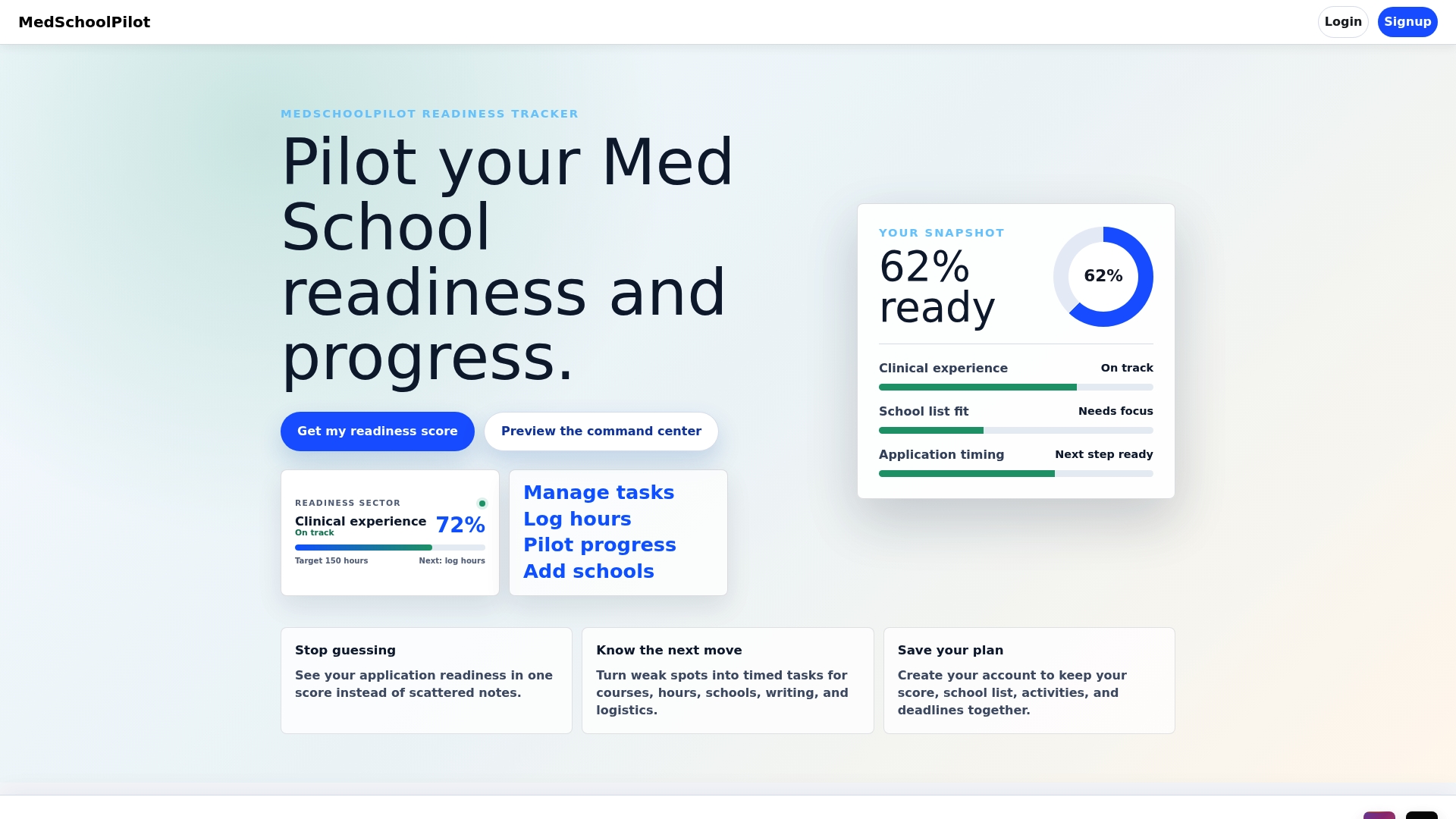
Medschoolpilot is built for exactly that gap. Import your exported school list, log your clinical and research hours, track your readiness score against each school’s expectations, and manage every deadline from one dashboard. When a secondary opens, your tracker already has the school’s interview format, preferred letter types, and deadline flagged. No spreadsheet archaeology required.
One concrete example: applicants who track secondary deadlines inside a structured tool are far less likely to miss the rolling-admissions window at their match schools, where submitting two weeks late can cost an interview slot. Medschoolpilot automates those reminders so the deadline finds you, not the other way around.
Start with free access to Medschoolpilot and connect your MSAR shortlist to a readiness tracker that keeps your application moving. Or watch how the platform works before you commit.
Sources
The following official AAMC pages are the authoritative references for everything covered here. When MSAR data conflicts with a third-party guide, the AAMC source is correct.
- Medical School Admission Requirements™ (MSAR®) for Applicants | Students & Residents
- Medical School Admissions Requirements (MSAR) Instructions