MEDSCHOOLPILOT™ TERMS OF SERVICE
Last Updated: June 27, 2026
Welcome to MedSchoolPilot™ ("MedSchoolPilot™," the "Platform," the "Service," "Company," "we," "us," or "our").
These Terms of Service ("Terms") govern your access to and use of the Platform, including all websites, software, applications, features, content, analytics, readiness scores, school-fit calculations, milestone timelines, recommendations, subscriptions, and related services offered by MedSchoolPilot™.
By creating an account, purchasing a subscription, accessing, browsing, or otherwise using the Platform, you acknowledge that you have read, understood, and agree to be legally bound by these Terms. If you do not agree to these Terms, you must immediately discontinue use of the Platform.
PART I — TERMS OF SERVICE
1. Eligibility
The Platform is intended for individuals who are at least eighteen (18) years of age or the age of legal majority in their jurisdiction, whichever is greater.
By using the Platform, you represent and warrant that:
• You have the legal capacity to enter into a binding agreement.
• All information you provide is truthful and accurate.
• Your use of the Platform complies with all applicable federal, state, local, and international laws and regulations.
We reserve the right to refuse service, suspend access, or terminate accounts that violate these eligibility requirements.
2. Educational Planning Tool Only
MedSchoolPilot™ is educational software designed to assist applicants with planning their medical school application process.
The Platform provides software-generated analytics, including but not limited to:
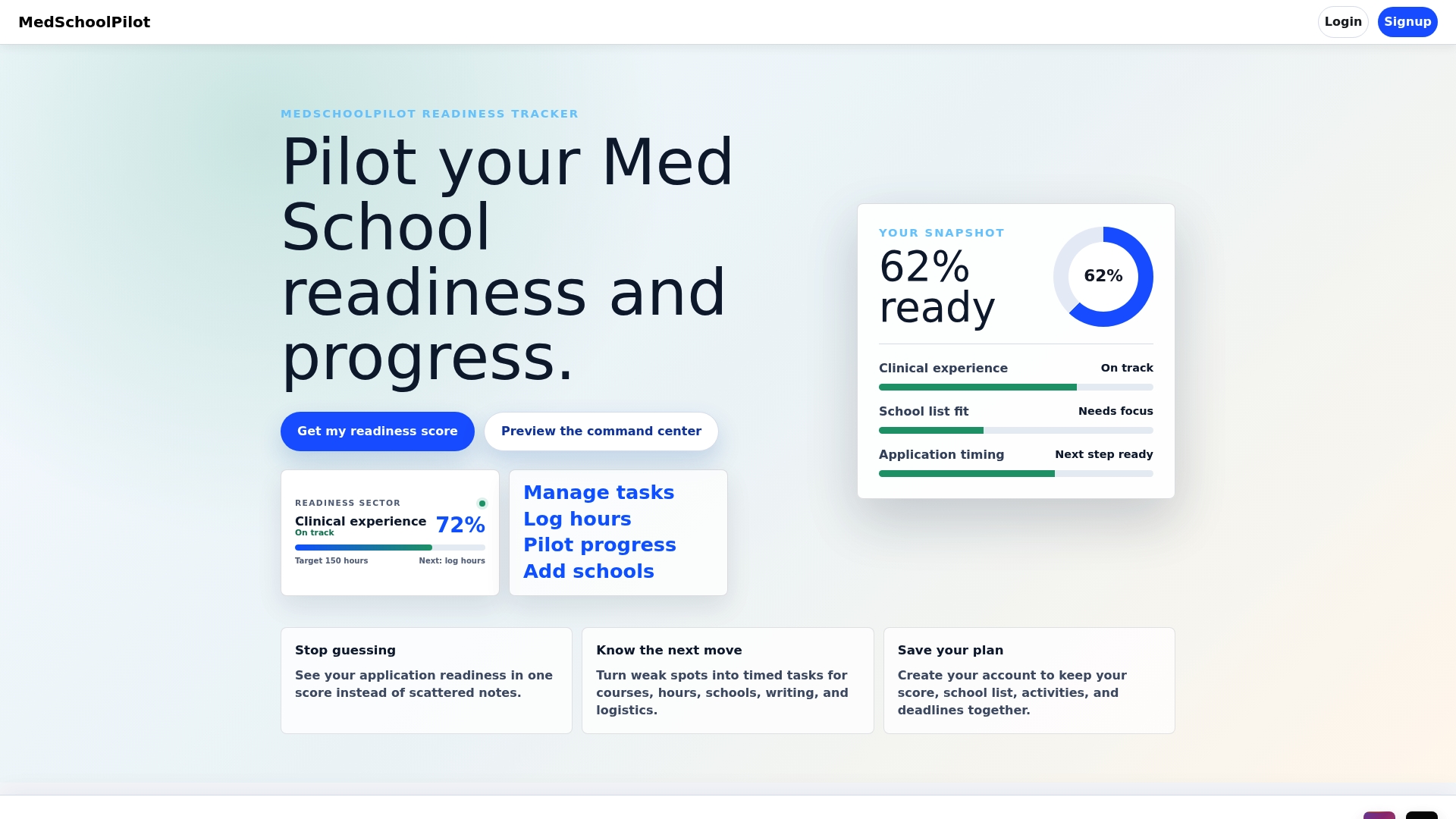
• Med School Readiness Score
• School Fit calculations
• Timed Tasks
• Milestone timelines
• Academic planning dashboards
• Statistical comparisons
• Personalized recommendations
These tools are informational and educational only.
They are not admissions decisions, admissions predictions, professional advice, or guarantees of future outcomes.
Nothing provided by the Platform constitutes:
• medical advice;
• legal advice;
• financial advice;
• educational counseling;
• admissions consulting;
• professional career guidance; or
• any fiduciary relationship.
No advisor-client, consultant-client, fiduciary, or professional relationship is created through your use of the Service.
3. No Guarantees
Medical school admissions are determined solely by independent educational institutions.
Accordingly, MedSchoolPilot™ makes no representation or warranty regarding:
• admission to any medical school;
• interview invitations;
• scholarships;
• residency placement;
• academic performance;
• licensing examinations;
• career opportunities;
• financial aid;
• acceptance probability; or
• professional success.
Readiness scores, compatibility percentages, rankings, projections, recommendations, timelines, and similar analytics are generated through proprietary software using user-provided information and available institutional data.
They should not be interpreted as guarantees, promises, or assurances of any future result.
You acknowledge that admissions decisions involve numerous subjective and objective factors outside our control.
You assume full responsibility for any decisions made in reliance upon Platform content.
4. User Responsibility for Information
The Platform relies substantially upon information entered by users.
You are solely responsible for ensuring the accuracy, completeness, and timeliness of information you provide, including but not limited to:
• GPA
• MCAT scores
• coursework
• prerequisite completion
• extracurricular activities
• volunteering hours
• clinical experience
• research experience
• leadership activities
• shadowing
• application cycle information
• school selections
Inaccurate, incomplete, outdated, or fraudulent information may produce inaccurate recommendations, readiness scores, timelines, or other outputs.
MedSchoolPilot™ shall not be responsible for any consequences arising from inaccurate user-submitted information.
5. Independent Verification Required
Medical schools routinely modify:
• admissions requirements;
• prerequisite courses;
• residency classifications;
• tuition;
• deadlines;
• acceptance statistics;
• application procedures;
• testing requirements; and
• institutional policies.
Although MedSchoolPilot™ makes reasonable efforts to maintain current information, we do not warrant that any institutional information is complete, current, or error-free.
You are solely responsible for independently verifying all admissions requirements, deadlines, tuition, policies, statistics, and application information directly with each medical school and the appropriate official organizations, including but not limited to:
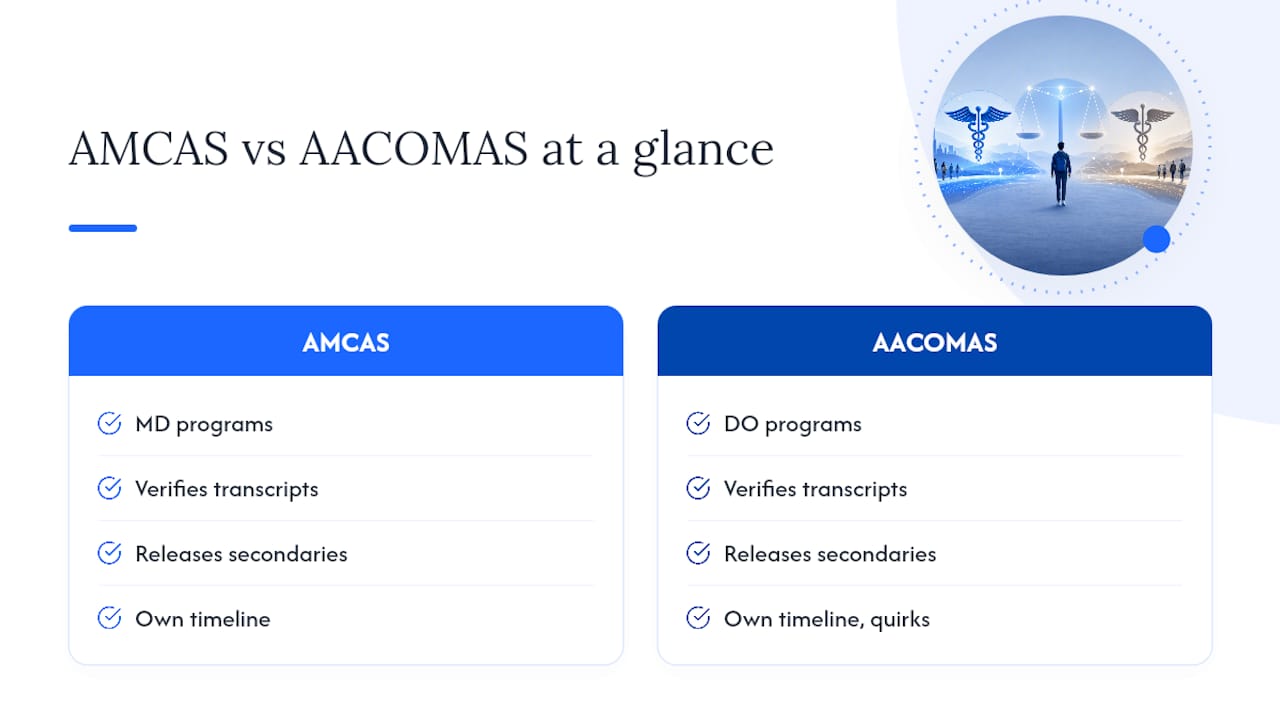
• AMCAS
• AACOMAS
• TMDSAS
• individual medical schools
• licensing organizations
• governmental agencies
before making educational, financial, or career decisions.
6. No Professional Advice
The Platform is software.
It does not replace:
• licensed admissions consultants;
• academic advisors;
• attorneys;
• accountants;
• financial advisors;
• physicians;
• career counselors; or
• other qualified professionals.
You remain solely responsible for obtaining appropriate professional advice regarding your individual circumstances.
7. Disclaimer of Warranties
TO THE MAXIMUM EXTENT PERMITTED BY APPLICABLE LAW, THE PLATFORM IS PROVIDED "AS IS," "AS AVAILABLE," AND "WITH ALL FAULTS."
MEDSCHOOLPILOT™ DISCLAIMS ALL WARRANTIES, WHETHER EXPRESS, IMPLIED, STATUTORY, OR OTHERWISE, INCLUDING WITHOUT LIMITATION WARRANTIES OF:
• MERCHANTABILITY;
• FITNESS FOR A PARTICULAR PURPOSE;
• TITLE;
• NON-INFRINGEMENT;
• ACCURACY;
• COMPLETENESS;
• RELIABILITY;
• AVAILABILITY;
• SECURITY; AND
• ERROR-FREE OPERATION.
WE DO NOT WARRANT THAT THE PLATFORM WILL:
• OPERATE WITHOUT INTERRUPTION;
• BE FREE OF BUGS;
• REMAIN AVAILABLE AT ALL TIMES;
• BE FREE FROM VIRUSES OR OTHER HARMFUL COMPONENTS;
• MEET EVERY USER'S EXPECTATIONS; OR
• PRODUCE ANY PARTICULAR RESULT.
YOUR USE OF THE PLATFORM IS ENTIRELY AT YOUR OWN RISK.
8. Limitation of Liability
TO THE MAXIMUM EXTENT PERMITTED BY APPLICABLE LAW, MEDSCHOOLPILOT™, ITS OWNERS, MEMBERS, EMPLOYEES, OFFICERS, DIRECTORS, CONTRACTORS, AFFILIATES, SUCCESSORS, AND AGENTS SHALL NOT BE LIABLE FOR ANY DIRECT, INDIRECT, INCIDENTAL, SPECIAL, CONSEQUENTIAL, EXEMPLARY, PUNITIVE, OR OTHER DAMAGES ARISING FROM OR RELATED TO:
• YOUR USE OF THE PLATFORM;
• INABILITY TO ACCESS THE PLATFORM;
• RELIANCE UPON READINESS SCORES OR ANALYTICS;
• APPLICATION DECISIONS;
• ADMISSIONS OUTCOMES;
• LOSS OF DATA;
• LOST PROFITS;
• LOST BUSINESS OPPORTUNITIES;
• LOSS OF GOODWILL;
• LOSS OF EDUCATIONAL OPPORTUNITIES;
• TUITION COSTS;
• APPLICATION FEES;
• EMOTIONAL DISTRESS; OR
• ANY OTHER LOSS OR DAMAGE.
THIS LIMITATION APPLIES REGARDLESS OF THE LEGAL THEORY ASSERTED, INCLUDING CONTRACT, NEGLIGENCE, STRICT LIABILITY, TORT, OR OTHERWISE, EVEN IF MEDSCHOOLPILOT™ HAS BEEN ADVISED OF THE POSSIBILITY OF SUCH DAMAGES.
IF LIABILITY IS FOUND TO EXIST DESPITE THESE LIMITATIONS, OUR TOTAL AGGREGATE LIABILITY SHALL NOT EXCEED THE TOTAL AMOUNT PAID BY YOU TO MEDSCHOOLPILOT™ DURING THE THREE (3) MONTHS IMMEDIATELY PRECEDING THE EVENT GIVING RISE TO THE CLAIM.
YOUR SOLE AND EXCLUSIVE REMEDY FOR DISSATISFACTION WITH THE PLATFORM IS TO DISCONTINUE USING THE SERVICE.
9. Indemnification
To the fullest extent permitted by applicable law, you agree to defend, indemnify, and hold harmless MedSchoolPilot™, its owners, officers, directors, employees, contractors, affiliates, successors, assigns, licensors, and service providers from and against any and all claims, demands, actions, damages, judgments, liabilities, losses, costs, expenses, and reasonable attorneys' fees arising out of or relating to:
your use or misuse of the Platform;
your violation of these Terms;
your violation of any applicable law or regulation;
information you submit through the Platform;
infringement of any third-party rights by you;
fraudulent, misleading, or inaccurate information you provide; or
your negligence or intentional misconduct.
Nothing in this section limits any rights or remedies otherwise available to MedSchoolPilot™ under applicable law.
10. User Conduct
You agree that you will not:
violate any applicable law or regulation;
use the Platform for any unlawful purpose;
impersonate another person or entity;
submit fraudulent or intentionally misleading information;
interfere with Platform security;
attempt unauthorized access to any account or system;
introduce malware, ransomware, viruses, bots, or malicious code;
interfere with other users' access or enjoyment of the Platform;
use automated means to create accounts or submit information;
use the Platform in any manner that could damage, disable, overload, or impair our infrastructure.
share, sell, transfer, rent, sublicense, or otherwise allow any third party to access your account credentials or account access;
Violation of this section may result in immediate suspension or permanent termination of your account without refund.
11. Anti-Scraping and Reverse Engineering
The Platform contains proprietary software, algorithms, databases, workflows, analytics, scoring methodologies, and other confidential intellectual property.
Except where prohibited by applicable law, you may not:
scrape the Platform;
crawl the Platform;
harvest data;
use automated extraction tools;
reverse engineer software;
decompile software;
disassemble software;
copy proprietary workflows;
reproduce scoring methodologies;
train artificial intelligence systems using Platform content; train, fine-tune, benchmark, evaluate, or develop any artificial intelligence system or machine learning model using Platform content, data, outputs, or proprietary materials;
create derivative works;
mirror or duplicate substantial portions of the Platform;
bypass technical protections; or
attempt to discover source code, algorithms, or confidential business logic.
Any unauthorized use may result in immediate account termination and pursuit of all available legal remedies.
12. Accounts and Credentials
You are responsible for maintaining the confidentiality of your account credentials.
You agree to:
maintain accurate account information;
keep your password confidential;
promptly notify us of unauthorized account activity;
accept responsibility for all activity occurring under your account.
MedSchoolPilot™ is not responsible for losses resulting from unauthorized use caused by your failure to safeguard your credentials.
13. Subscription Services
Certain Platform features require a paid subscription.
By purchasing a subscription, you agree to pay all applicable fees displayed at the time of purchase.
Unless otherwise stated during checkout:
subscription fees are billed in advance;
taxes may apply where required by law;
pricing may change for future billing periods upon advance notice where required by law.
Failure to pay subscription fees may result in suspension or cancellation of premium services.
14. No-Refund Policy
Because MedSchoolPilot™ provides immediate access to digital software and analytical services, all purchases are final.
Except where prohibited by applicable law or expressly stated otherwise, subscription fees, software purchases, and digital services are non-refundable.
Nothing in this section limits any non-waivable rights provided under applicable consumer protection laws.
15. Chargebacks
If you initiate a chargeback or payment dispute in bad faith after receiving access to purchased digital services, MedSchoolPilot™ reserves the right, to the extent permitted by law, to:
suspend or terminate your account;
revoke access to premium services;
contest the chargeback with supporting documentation;
recover unpaid amounts through lawful collection efforts; and
pursue any other remedies available under applicable law.
This provision does not limit your right to dispute genuinely unauthorized or fraudulent transactions.
16. Intellectual Property
The Platform, including but not limited to:
software;
source code;
databases;
algorithms;
scoring methodologies;
readiness calculations;
timelines;
dashboards;
workflows;
graphics;
logos;
trademarks;
documentation;
written content;
designs;
visual layouts;
compilations; and
other proprietary materials
are owned by MedSchoolPilot™ or its licensors and are protected by applicable intellectual property laws.
Except for the limited right to use the Platform in accordance with these Terms, no ownership interest or license is transferred to you.
Any unauthorized copying, reproduction, commercial use, redistribution, reverse engineering, or exploitation of Platform content may result in account termination and civil legal action, including injunctive relief, monetary damages, recovery of attorneys' fees where permitted by law, and any other remedies available under applicable law.
All rights not expressly granted are reserved.
17. User Content
You retain ownership of information you submit to the Platform.
By submitting information, you grant MedSchoolPilot™ a limited, non-exclusive, royalty-free license to host, process, store, analyze, and display that information solely for the purpose of providing the Services you request.
You represent and warrant that you possess all rights necessary to submit such information.
This license terminates when your content is deleted from the Platform, except to the extent we are required to retain certain information under applicable law or legitimate business purposes as described in this Privacy Policy.
18. Account Suspension and Termination
MedSchoolPilot™ reserves the right, in its sole discretion and to the extent permitted by law, to suspend, restrict, or terminate accounts immediately, with or without prior notice, for reasons including but not limited to:
violation of these Terms;
suspected fraud;
abusive conduct;
security concerns;
payment failures;
unlawful activity;
unauthorized automation;
intellectual property infringement; or
conduct that reasonably threatens the integrity, security, or operation of the Platform.
Termination does not relieve you of obligations that accrued before termination.
19. Service Modifications
MedSchoolPilot™ may, at any time and without liability, modify, improve, suspend, replace, discontinue, or remove any portion of the Platform, including:
software functionality;
readiness scoring methodologies;
school-fit calculations;
user interfaces;
pricing;
subscription plans;
integrations;
reports; or
Platform features.
We do not guarantee that any specific feature will remain available indefinitely.
20. Availability
The Platform may experience interruptions resulting from:
maintenance;
software updates;
infrastructure failures;
cloud service outages;
cybersecurity incidents;
internet failures;
governmental actions;
natural disasters; or
other circumstances beyond our reasonable control.
We make no guarantee that the Platform will be continuously available or uninterrupted. Planned maintenance and scheduled downtime may occur from time to time and may temporarily limit or suspend access to certain features of the Platform.
21. Force Majeure
MedSchoolPilot™ shall not be liable for delays, interruptions, or failures resulting from events beyond our reasonable control, including acts of God, natural disasters, pandemics, labor disputes, governmental actions, cyberattacks, utility failures, internet disruptions, cloud provider outages, war, terrorism, or similar events.
22. Reservation of Rights
All rights not expressly granted under these Terms are reserved exclusively by MedSchoolPilot™.
No waiver of any provision shall be deemed a continuing waiver.
Failure to enforce any right shall not constitute a waiver of that right.
23. Electronic Communications
By creating an account or using the Platform, you consent to receive electronic communications relating to:
your account;
subscriptions;
billing;
technical notices;
legal notices;
security notifications;
service announcements; and
updates to these Terms.
Electronic communications satisfy any legal requirement that such communications be provided in writing.
24. Beta Features
The Platform may include features labeled as “beta,” “experimental,” or similar designations. Such features are provided for testing and evaluation purposes only and:
• may contain bugs, errors, or incomplete functionality;
• are provided on an “as is” and “as available” basis; and
• may be modified, suspended, or removed at any time without notice or liability.
25. Feedback License
If you provide suggestions, ideas, feature requests, improvements, or other feedback regarding the Platform, you grant MedSchoolPilot™ a perpetual, irrevocable, worldwide, royalty-free, fully transferable and sublicensable license to use, reproduce, modify, adapt, publish, and otherwise exploit such feedback for any purpose without compensation or obligation to you.
26. Export Control
You agree not to use, access, or export the Platform in violation of any applicable U.S. export control laws or economic sanctions regulations, including but not limited to restrictions administered by the U.S. Department of Commerce, the U.S. Department of Treasury (OFAC), or any other relevant authority. You represent that you are not located in, under the control of, or a national or resident of any restricted country or on any prohibited party list.
PART II — PRIVACY POLICY
1. Overview
Your privacy is important to MedSchoolPilot™.
This Privacy Policy explains what information we collect, how we use it, how we protect it, and the choices available to you regarding your personal information.
By creating an account or using the Platform, you consent to the collection, use, storage, disclosure, and processing of your information as described in this Privacy Policy. This Privacy Policy is intended to apply to users throughout the United States and is designed to be interpreted consistently with applicable U.S. federal and state privacy laws, as they may be amended or enacted from time to time.
2. Information We Collect
We collect only the information reasonably necessary to provide and improve the Platform.
Account Information
When creating an account, we may collect:
Full name
Email address
Encrypted password credentials
Account preferences
Subscription status
Applicant Profile Information
To generate your personalized analytics, you may voluntarily provide:
Undergraduate GPA
Science GPA
MCAT scores
Coursework history
Prerequisite completion
Research hours
Clinical experience
Volunteer hours
Shadowing hours
Leadership activities
Employment history
Application cycle information
School selections
User-entered notes
Other academic metrics entered by you
This information is self-reported.
MedSchoolPilot™ does not independently verify its accuracy.
Technical Information
We may automatically collect limited technical information necessary for operation of the Platform, including:
browser type;
operating system;
device type;
IP address;
authentication logs;
session information;
diagnostic logs;
error reports; and
basic usage analytics.
This information is used for security, troubleshooting, fraud prevention, and improving Platform performance.
Information We Do Not Collect
We do not intentionally request or store:
Social Security Numbers
Driver's license numbers
Passport numbers
Government-issued identification
Official medical school transcripts
Official MCAT score reports
Banking credentials
Full payment card numbers
Payment information is processed directly by our third-party payment processor.
3. How We Use Information
We use information solely for legitimate business purposes, including:
creating and maintaining your account;
calculating your Med School Readiness Score;
generating School Fit analyses;
creating Timed Tasks;
maintaining personalized dashboards;
processing subscription payments;
communicating with users;
providing customer support;
protecting Platform security;
preventing fraud;
complying with legal obligations; and
improving Platform functionality.
We do not sell your personal information to data brokers or advertising companies.
3A. Automated Decision-Making
The Platform uses automated systems to generate outputs such as Med School Readiness Scores, School Fit analyses, timelines, and recommendations.
These outputs are generated algorithmically based on user-provided data and are informational only. They are not subject to human review unless explicitly stated and should not be interpreted as admissions decisions, predictions, or guarantees.
3B. Do Not Sell or Share My Personal Information (California Rights)
We do not sell personal information or share it for cross-context behavioral advertising.
If you are a California resident, you have the right to opt out of any future “sale” or “sharing” of your personal information as defined under the California Consumer Privacy Act (as amended by the CPRA).
You may exercise this right by contacting us at support@medschoolpilot.com with the subject line “Do Not Sell or Share My Personal Information.”
We do not currently engage in such activities; however, we provide this notice to comply with applicable law and future-proof your rights.
4. Third-Party Service Providers
We share information only with service providers necessary to operate the Platform.
These providers may include:
cloud hosting providers;
payment processors (including Stripe);
email delivery providers;
authentication providers;
customer support platforms;
analytics providers; and
security monitoring services.
These providers may access information only as necessary to perform services on our behalf and are contractually required to protect it.
5. Payment Information
Payment transactions are processed directly through PCI DSS-compliant third-party payment processors.
MedSchoolPilot™ does not receive or store your complete payment card number.
Payment processors maintain their own privacy and security policies governing payment information.
6. Cookies and Similar Technologies
The Platform uses cookies and similar technologies to:
• authenticate users;
• maintain login sessions;
• remember preferences;
• improve Platform functionality;
• enhance security; and
• analyze performance.
You may disable cookies through your browser settings; however, doing so may prevent portions of the Platform from functioning properly.
When an explicit tracking-consent grant has been recorded, we use Meta Pixel to measure page visits and completed registrations for advertising attribution. Meta may receive browser, device, and interaction information under its own privacy terms. Meta Pixel remains inactive when no consent grant is available.
7. Data Security
MedSchoolPilot™ employs commercially reasonable administrative, technical, and organizational safeguards designed to protect personal information against unauthorized access, disclosure, alteration, or destruction.
Security measures may include:
encrypted HTTPS communications;
TLS/SSL encryption;
encrypted password storage;
restricted administrative access;
cloud infrastructure security controls;
authentication protections;
routine software updates; and
monitoring for unauthorized access.
No method of electronic transmission or electronic storage can be guaranteed to be completely secure.
Accordingly, we cannot guarantee absolute security.
8. Data Retention
We retain account information only for as long as reasonably necessary to:
provide the Platform;
maintain user accounts;
fulfill contractual obligations;
comply with legal obligations;
resolve disputes;
prevent fraud; or
enforce our agreements.
Retention periods may vary depending upon legal, accounting, tax, regulatory, security, and operational requirements.
8A. Your Privacy Rights
Depending on your jurisdiction, you may have rights regarding your personal information, including:
• The right to access the personal information we hold about you
• The right to request correction of inaccurate information
• The right to request deletion of your personal information
• The right to request a copy of your data
We will respond to verifiable requests in accordance with applicable law. To exercise these rights, contact support@medschoolpilot.com.
9. Account Deletion
You may request deletion of your account at any time by contacting our designated support email.
Upon verification of your request, we will permanently delete or de-identify your personal profile information from our production systems within a commercially reasonable period, subject to applicable law.
Deletion generally includes:
profile information;
academic metrics;
readiness scores;
timelines;
activity tracking;
saved school lists;
notes; and
user-generated planning information.
Certain limited records may be retained where required or permitted by law, including records necessary for:
accounting;
taxation;
fraud prevention;
security investigations;
dispute resolution;
legal compliance; or
enforcement of our agreements.
Deleted information generally cannot be restored.
Backup systems may retain encrypted copies of deleted data for a limited period prior to permanent deletion, in accordance with standard operational and security practices.
10. Children's Privacy
The Platform is not directed toward children.
Individuals under eighteen (18) years of age or the applicable age of legal majority may not create accounts except where legally permitted and authorized.
If we become aware that personal information has been collected in violation of applicable law, we reserve the right to delete such information.
11. International Users
The Platform is operated from the United States.
If you access the Platform from another country, you acknowledge that your information may be transferred to, processed, and stored in the United States or other jurisdictions where our service providers operate.
By using the Platform, you consent to such transfers where permitted by applicable law.
12. Changes to this Privacy Policy
We may revise this Privacy Policy from time to time.
Updated versions become effective upon posting unless otherwise required by applicable law.
Continued use of the Platform following publication of updated Terms constitutes acceptance of the revised Privacy Policy.
We encourage users to review this Policy periodically.
13. Contact
Questions regarding this Privacy Policy may be directed to:
MedSchoolPilot™
Email:
support@medschoolpilot.com
PART II — DISPUTE RESOLUTION & MISCELLANEOUS
1. Mandatory Binding Arbitration
To the fullest extent permitted by applicable law, any dispute, claim, or controversy arising out of or relating to these Terms, the Platform, or your use of the Service shall be resolved exclusively through final and binding individual arbitration rather than in a court of law, except where applicable law prohibits arbitration of the dispute.
The arbitration shall be administered by the American Arbitration Association (AAA) under its Commercial Arbitration Rules. The arbitration shall be conducted in the State of Arizona, or remotely by video conference if permitted by the arbitrator.
The arbitrator shall have exclusive authority to resolve all disputes relating to the interpretation, applicability, enforceability, or formation of these Terms.
Judgment upon the arbitration award may be entered in any court having jurisdiction.
2. Class Action Waiver
To the fullest extent permitted by applicable law, you agree that any arbitration or legal proceeding shall be conducted solely on an individual basis.
You waive any right to participate as a plaintiff or class member in any class action, collective action, representative action, consolidated proceeding, or private attorney general action.
3. Frivolous Actions & Fee Shifting
If you initiate a lawsuit, arbitration proceeding, or formal dispute against MedSchoolPilot™, its owners, or affiliates that is determined by a court or arbitrator to be frivolous, in bad faith, or without merit, you agree to reimburse MedSchoolPilot™ for reasonable defense costs, arbitration fees, court costs, and reasonable attorneys’ fees to the extent permitted by applicable law.
4. Non-Disparagement & Reputation Protection
By creating an account or using the Platform, you agree that you will not knowingly make false statements of fact about MedSchoolPilot™, its services, or its affiliates that would constitute defamation under applicable law. Nothing in this section restricts your right to post honest opinions, truthful reviews, or participate in lawful whistleblower activities or other legally protected communications. For avoidance of doubt, this provision applies only to knowingly false statements of fact that are legally actionable as defamation under applicable law.
5. Governing Law
These Terms shall be governed by and construed in accordance with the laws of the State of Arizona, without regard to its conflict of law principles.
6. Severability
If any provision of these Terms is determined by a court or arbitrator of competent jurisdiction to be unlawful, invalid, or unenforceable, that provision shall be modified or enforced to the maximum extent permitted by applicable law, and the remaining provisions shall remain in full force and effect.
7. No Waiver
Failure by MedSchoolPilot™ to enforce any provision of these Terms shall not constitute a waiver of that provision or any other rights.
Any waiver must be in writing and signed by an authorized representative of MedSchoolPilot™.
8. Assignment
You may not assign, transfer, delegate, or sublicense your rights or obligations under these Terms without our prior written consent.
MedSchoolPilot™ may assign or transfer these Terms, in whole or in part, in connection with a merger, acquisition, corporate restructuring, financing transaction, sale of assets, or operation of law.
9. Entire Agreement
These Terms, together with any policies or notices expressly incorporated by reference, constitute the complete and exclusive agreement between you and MedSchoolPilot™ regarding the Platform and supersede all prior or contemporaneous agreements, communications, representations, and understandings relating to the Service.
10. Survival
The provisions relating to intellectual property, payment obligations, indemnification, limitations of liability, dispute resolution, arbitration, governing law, confidentiality, data retention, and any other provisions that by their nature should survive termination shall remain in effect after your account is closed or these Terms otherwise terminate.
11. Changes to These Terms
MedSchoolPilot™ reserves the right to revise these Terms at any time.
Updated versions become effective upon posting unless otherwise required by applicable law.
Your continued use of the Platform following publication of revised Terms constitutes acceptance of those revisions.
12. Contact Information
Questions regarding these Terms may be directed to:
MedSchoolPilot™
Email: support@medschoolpilot.com
13. Limitation of Liability
To the fullest extent permitted by law, MedSchoolPilot™ and its affiliates, officers, employees, and licensors shall not be liable for any indirect, incidental, special, consequential, exemplary, or punitive damages, including but not limited to loss of profits, data, goodwill, or other intangible losses, resulting from:
(a) your use of or inability to use the Platform;
(b) reliance on Readiness Scores, School Fit analyses, timelines, or recommendations;
(c) errors, inaccuracies, or omissions in Platform outputs;
(d) unauthorized access to or alteration of your data; or
(e) any other matter relating to the Service.
In no event shall MedSchoolPilot™’s total liability exceed the amount paid by you to the Platform in the twelve (12) months preceding the claim.
14. Indemnification
You agree to indemnify, defend, and hold harmless MedSchoolPilot™, its affiliates, officers, employees, and agents from and against any claims, liabilities, damages, losses, and expenses (including reasonable attorneys’ fees) arising out of or related to:
(a) your use of the Platform;
(b) any data or information you submit;
(c) your violation of these Terms; or
(d) your reliance on or use of Platform outputs in making decisions.
15. AI-Generated Outputs and No Reliance
The Platform generates automated outputs including but not limited to readiness scores, school-fit analyses, timelines, and recommendations. These outputs are generated using algorithmic systems based on user-provided data.
You acknowledge and agree that:
(a) these outputs are informational only and do not constitute admissions advice, guarantees, or professional counseling;
(b) MedSchoolPilot™ does not guarantee accuracy, completeness, or outcomes;
(c) you assume full responsibility for any decisions made based on Platform outputs, to the extent permitted by applicable law; and
(d) you should not rely solely on the Platform for academic, career, or admissions decisions.
© 2026 MedSchoolPilot™. All rights reserved.
MedSchoolPilot™ is a trademark of MedSchoolPilot. All other trademarks belong to their respective owners. All rights not expressly granted herein are reserved.